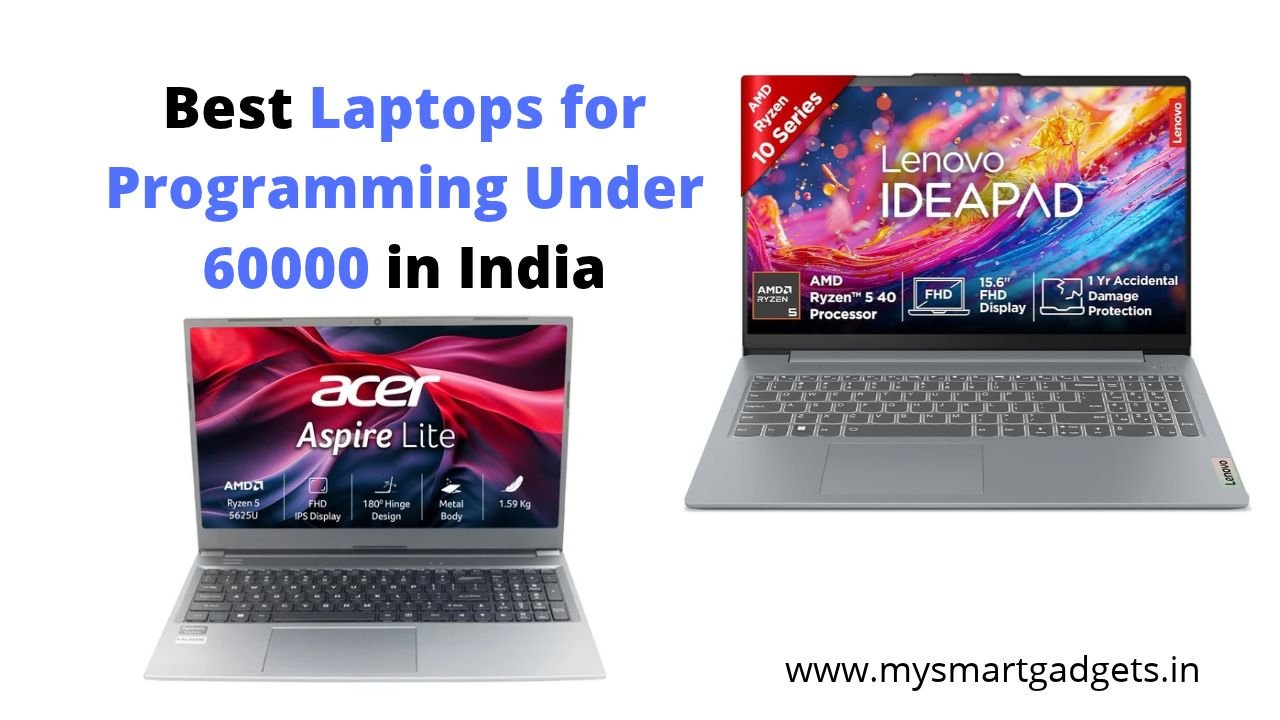
Looking for the best laptop for programming under 60000 in India 2026? Whether you are a computer science student, beginner programmer, software developer, or IT professional, choosing the right laptop is important for a smooth coding and development experience.
A good programming laptop should offer a capable processor, sufficient RAM, fast SSD storage, a comfortable display, and reliable battery backup. In the under ₹60,000 price segment, you can find several laptops from popular brands such as HP, ASUS, Acer, and Lenovo.
These laptops offer processors from Intel and AMD, along with configurations suitable for coding, web development, software development, running IDEs, and everyday multitasking. In this article, we have shortlisted the 5 best laptops for programming under 60000 in India in 2026.
- Also Read: Best Laptops for Coding and Programming
List Of the Best Laptops for Programming Under 60000
- HP Professional 15 (2026)
- ASUS Vivobook Go 15 (2026)
- Acer SmartChoice Aspire Lite
- Lenovo IdeaPad Slim 3
- HP 15 Smartchoice
Let’s explore each laptop specifications, design and build quality, processor and graphics performance, display, RAM and storage, battery backup, and warranty to help you choose the right laptop for your programming requirements.
Key Specs to Check Before Buying a Programming Laptop
- Processor: Choose a capable Intel Core i3, AMD Ryzen 3, or Ryzen 5 processor.
- RAM: 8GB is suitable for Coding but Prefer 16GB RAM for better multitasking.
- Storage: Choose at least a 512GB SSD.
- Display: A 15.6-inch display can provide a comfortable coding workspace.
- Battery: Look for a laptop with sufficient battery backup for college or office use.
- Upgradeability: Check whether RAM and SSD storage can be upgraded.
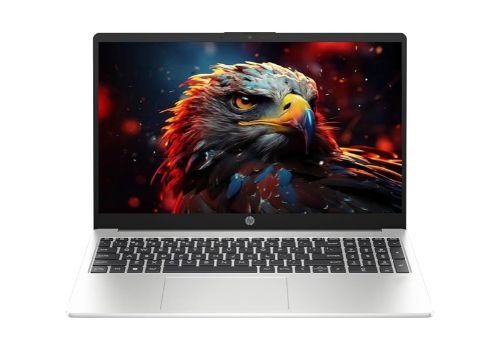
01. HP Professional 15 (2026)
Key Features
- Display: 15.6 Inches
- Processor: Intel Core i3 14th Gen
- Processor speed: Up to 4.7 GHz
- Graphics: Intel UHD Graphics Card
- Ram: 16GB
- Storage: 512GB SSD
- Operating system: Windows 11
- Item weight: 1.5kg
- Warranty: 1 Year Warranty
- Battery backup: Up to 8 hours
The HP Professional 15 (2026) is a suitable option for students, beginner programmers, and working professionals looking for a laptop with balanced specifications. It is powered by a 14th-generation Intel Core i3 processor with speeds of up to 4.7 GHz. This processor can handle everyday programming activities, web development, office applications, browsing, and multitasking.
One of the biggest advantages of this laptop is its 16GB RAM and 512GB SSD storage. These specifications provide sufficient memory for working with coding environments, browser tabs, development tools, and other applications. It also features a 15.6-inch display, runs Windows 11, and weighs approximately 1.5kg, making it a practical choice for everyday programming and productivity.
Design and Build Quality
The HP Professional 15 features a simple and professional design suitable for students, office users, and developers. Its 15.6-inch form factor provides sufficient screen space for coding, working with documents, and managing multiple application windows. The overall design focuses on everyday usability rather than a gaming-oriented appearance.
Weighing approximately 1.5kg, this laptop is relatively lightweight and convenient to carry to college, the office, or a co-working space. Its portable design makes it suitable for programmers who prefer working from different locations.
Processor and Graphics Card
The laptop is powered by a 14th-generation Intel Core i3 processor, offering clock speeds of up to 4.7 GHz. It is suitable for beginner and intermediate programming tasks, including HTML, CSS, JavaScript, Python, basic Java development, and web development.
For graphics, HP includes integrated Intel UHD graphics. These graphics are sufficient for everyday visual tasks, coding applications, multimedia consumption, and basic development work.
Display
The HP Professional 15 comes with a 15.6-inch display that provides a comfortable viewing area for programming and everyday productivity. The larger screen makes it easier to work with code editors, browser windows, documentation, and development tools.
Ram and Storage
The laptop comes with 16GB RAM, which is one of its biggest advantages for programming. Having 16GB memory allows users to run coding environments, multiple browser tabs, database tools, and office applications simultaneously. It is also more suitable for multitasking than an entry-level 8GB configuration.
For storage, it includes a 512GB SSD, providing sufficient space for programming software, development environments, project files, documents, and other applications. SSD storage also helps improve system boot times and application loading speeds.
Battery Backup and Warranty
The HP Professional 15 offers up to 8 hours of battery backup, making it suitable for students and professionals who need to work away from a charging point. Actual battery performance will depend on screen brightness, background applications, software usage, and workload. The laptop comes with a 1-year warranty. Buyers should check the warranty coverage and service conditions before purchasing.
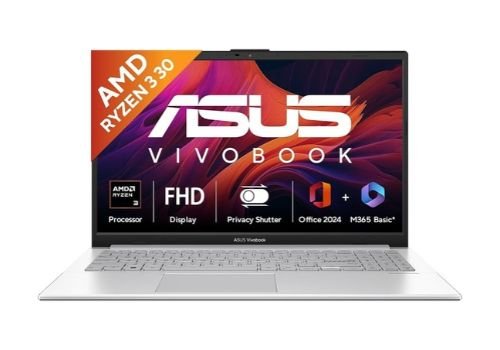
02. ASUS Vivobook Go 15 (2026)
Key Features
- Display: 15.6 Inches
- Processor: AMD Ryzen 3 30
- Processor speed: Up to 4.1 GHz
- Graphics: Integrated AMD Radeon
- Ram: 8GB
- Storage: 512GB SSD
- Operating system: Windows 11
- Item weight: 1.63kg
- Warranty: 1 Year Warranty
- Battery backup: Up to 8 hours
The ASUS Vivobook Go 15 (2026) is designed for students and everyday users looking for an affordable laptop for programming, studying, and productivity. It is powered by an AMD Ryzen 3 30 processor with speeds of up to 4.1 GHz. This processor is suitable for basic coding, web development, browsing, online classes, and everyday computing.
The laptop features 8GB RAM and 512GB SSD storage, providing a reasonable configuration for beginner programmers. It also comes with integrated AMD Radeon graphics and a 15.6-inch display. Weighing approximately 1.63kg, it is portable enough for regular college and office use. It runs Windows 11 and offers up to 8 hours of battery backup.
Design and Build Quality
The ASUS Vivobook Go 15 features a modern and practical design suitable for students, home users, and professionals. Its 15.6-inch form factor provides a comfortable screen size for coding, browsing, and everyday productivity. The laptop is designed to be an accessible option for users who need a machine for regular computing.
It weighs approximately 1.63kg, making it convenient to carry in a laptop backpack. Whether you are attending college, working from home, or travelling, its portable design makes it suitable for everyday use.
Processor and Graphics Card
The laptop is powered by an AMD Ryzen 3 30 processor, offering clock speeds of up to 4.1 GHz. It is suitable for beginner-level programming, basic web development, HTML, CSS, JavaScript, Python, and other lightweight development tasks.
For graphics, ASUS includes integrated AMD Radeon graphics. These graphics can handle everyday visual tasks, multimedia consumption, and basic graphical applications.
Display
The ASUS Vivobook Go 15 features a 15.6-inch display, providing enough screen space for coding, browsing, and entertainment. The larger screen allows programmers to work comfortably with code editors, documentation, and browser windows.
Ram and Storage
The laptop comes with 8GB RAM, which is suitable for beginner programming, basic coding, browsing, and everyday productivity. Users can work with lightweight IDEs, text editors, and basic development tools. However, running multiple development environments, virtual machines, or heavier applications simultaneously may require more memory.
For storage, ASUS provides a 512GB SSD. This offers sufficient space for coding software, project files, documents, applications, and personal data.
Battery Backup and Warranty
The ASUS Vivobook Go 15 offers up to 8 hours of battery backup. This makes it suitable for students attending classes, working on assignments, and performing everyday computing tasks without constantly connecting to a charger. The laptop comes with a 1-year warranty.
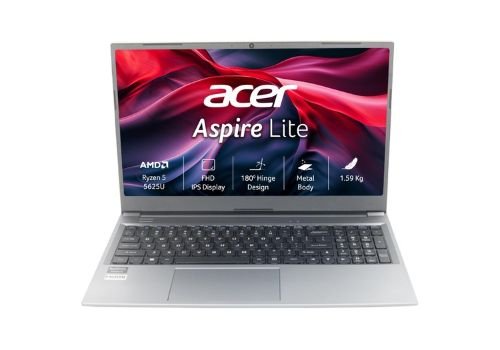
03. Acer SmartChoice Aspire Lite
Key Features
- Display: 15.6 Inches
- Processor: AMD Ryzen 5 5625U
- Processor speed: Up to 4.3 GHz
- Graphics: Integrated AMD Radeon
- Ram: 16GB
- Storage: 512GB SSD
- Operating system: Windows 11
- Item weight: 1.59kg
- Warranty: 1 Year Warranty
- Battery backup: Up to 6 hours
The Acer SmartChoice Aspire Lite is a good option for programming students and users who need a capable processor with sufficient memory. It is powered by the AMD Ryzen 5 5625U processor, offering clock speeds of up to 4.3 GHz. This processor provides a good balance of performance and efficiency for coding, web development, multitasking, and everyday productivity.
One of its major advantages is the combination of 16GB RAM and 512GB SSD storage. These specifications make it suitable for working with programming IDEs, multiple browser tabs, databases, and development tools. It also features integrated AMD Radeon graphics, a 15.6-inch display, and Windows 11. Weighing approximately 1.59kg, it is a practical choice for students and professionals.
Design and Build Quality
The Acer SmartChoice Aspire Lite features a simple and minimal design suitable for educational and professional environments. Its 15.6-inch form factor offers sufficient space for programming, document editing, and everyday office activities.
With a weight of approximately 1.59kg, the laptop is relatively easy to carry between home, college, and the workplace. Its practical design makes it a suitable choice for users who need a laptop for regular coding and productivity without prioritising gaming-focused styling.
Processor and Graphics Card
The laptop is powered by the AMD Ryzen 5 5625U processor, with clock speeds of up to 4.3 GHz. It offers a capable configuration for programming, web development, Python, Java, database management, and multitasking.
For graphics, Acer includes integrated AMD Radeon graphics. These graphics are suitable for regular graphical workloads, multimedia consumption, basic photo editing, and light development activities. The processor and graphics combination is suitable for many programming requirements.
Display
The Acer Aspire Lite features a 15.6-inch display, providing a comfortable working area for coding and everyday productivity. Its screen size makes it easier to view programming interfaces, code editors, documentation, and browser windows.
Ram and Storage
The Acer SmartChoice Aspire Lite includes 16GB RAM, making it a suitable option for users who regularly multitask. Programmers can work with IDEs, browser tabs, coding tools, and database applications more comfortably with this memory capacity.
For storage, it comes with a 512GB SSD. This provides sufficient room for development environments, software installations, project files, and personal documents.
Battery Backup and Warranty
The Acer SmartChoice Aspire Lite offers up to 6 hours of battery backup. This should be sufficient for regular coding sessions, browsing, and everyday computing, although users may need to recharge the laptop during longer working days. Battery performance may vary depending on the software being used, screen brightness, and processor workload. It comes with a 1-year warranty.
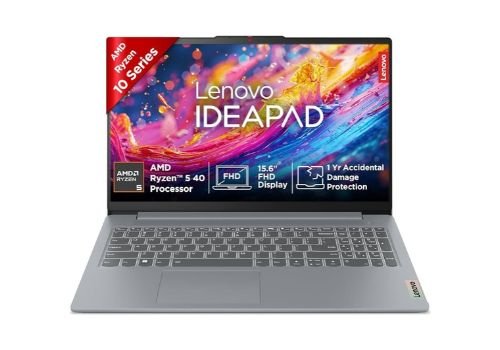
04. Lenovo IdeaPad Slim 3
Key Features
- Display: 15.6 Inches
- Processor: AMD Ryzen 3 30
- Processor speed: Up to 4.1 GHz
- Graphics: AMD Radeon 610M
- Ram: 8GB
- Storage: 512GB SSD
- Operating system: Windows 11
- Item weight: 1.6kg
- Warranty: 1 Year Warranty
- Battery backup: Up to 8 hours
The Lenovo IdeaPad Slim 3 is an entry-level laptop designed for students and users who need a laptop for basic programming, office work, and everyday computing. It is powered by an AMD Ryzen 3 30 processor with speeds of up to 4.1 GHz. The processor is suitable for beginner coding, web development basics, browsing, and educational activities.
The laptop comes with 8GB RAM and 512GB SSD storage, providing a basic configuration for students who are starting their programming journey. It also features AMD Radeon 610M graphics and a 15.6-inch display. With a weight of approximately 1.6kg and up to 8 hours of battery backup, it is a practical option for everyday college and home use.
Design and Build Quality
The Lenovo IdeaPad Slim 3 features a slim and straightforward design suitable for students and everyday users. Its professional appearance makes it appropriate for college, office environments, and home use. The 15.6-inch form factor offers a comfortable working area for coding and productivity.
It weighs approximately 1.6kg, making it reasonably portable for everyday commuting. Students can carry it to classes, libraries, and study spaces without much difficulty. Its design focuses on everyday usability and portability.
Processor and Graphics Card
The laptop is powered by an AMD Ryzen 3 30 processor, which offers speeds of up to 4.1 GHz. It is suitable for basic programming tasks, beginner-level web development, HTML, CSS, Python, and other lightweight applications.
For graphics, Lenovo includes AMD Radeon 610M graphics. These integrated graphics can handle everyday visual activities, video streaming, and basic graphical workloads.
Display
The Lenovo IdeaPad Slim 3 features a 15.6-inch display that provides enough screen space for everyday programming and productivity. The larger display makes it convenient to work with code editors, online documentation, spreadsheets, and browser windows.
Ram and Storage
The laptop comes with 8GB RAM, which is suitable for basic coding, browsing, office applications, and everyday multitasking. Beginner programmers can use lightweight coding editors and development environments, although running several demanding applications simultaneously may affect performance.
For storage, it includes a 512GB SSD. This provides enough space for programming tools, applications, documents, and project files. The SSD also helps improve boot times and application loading speeds.
Battery Backup and Warranty
The Lenovo IdeaPad Slim 3 offers up to 8 hours of battery backup, making it suitable for students who need to attend classes, complete assignments, and work on coding projects. Actual battery performance will depend on brightness settings, application usage, and workload. The laptop comes with a 1-year warranty. Buyers should review the warranty terms and service coverage before purchasing.
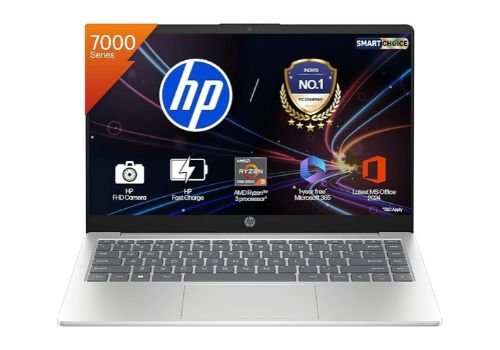
05. HP 15 Smartchoice
Key Features
- Display: 15.6 Inches
- Processor: AMD Ryzen 3 7320U
- Processor speed: Up to 4.1 GHz
- Graphics: AMD Radeon Graphics Card
- Ram: 8GB
- Storage: 512GB SSD
- Operating system: Windows 11
- Item weight: 1.59kg
- Warranty: 1 Year Warranty
- Battery backup: Up to 7 hours
The HP 15 Smartchoice is another option worth considering for students and beginner programmers looking for an affordable laptop under ₹60,000. It is powered by the AMD Ryzen 3 7320U processor, offering clock speeds of up to 4.1 GHz. This processor is suitable for basic coding, web development, browsing, online classes, and everyday productivity.
The laptop features 8GB RAM and 512GB SSD storage, providing sufficient capacity for basic programming tools, applications, and project files. It also comes with integrated AMD Radeon graphics and a 15.6-inch display. Weighing approximately 1.59kg, it offers a practical combination of portability and screen size for students and everyday users.
Design and Build Quality
The HP 15 Smartchoice features a simple and professional design suitable for students, office users, and home computing. Its 15.6-inch display provides sufficient screen space for programming, working on documents, and watching educational tutorials.
With a weight of approximately 1.59kg, it is relatively easy to carry to college, the office, or a co-working space. Its practical design makes it suitable for users who need an everyday laptop for studying, coding, and general productivity.
Processor and Graphics Card
The laptop is powered by the AMD Ryzen 3 7320U processor, offering speeds of up to 4.1 GHz. It is suitable for beginner programming, basic web development, Python, HTML, CSS, and everyday multitasking.
For graphics, HP includes integrated AMD Radeon graphics. These graphics are suitable for multimedia consumption, everyday visual tasks, and basic graphical applications. However, users working with advanced game development, 3D modelling, or GPU-intensive applications should consider a laptop with more powerful graphics capabilities.
Display
The HP 15 Smartchoice features a 15.6-inch display, offering a comfortable viewing area for coding, browsing, and entertainment. The screen size is suitable for working with programming editors, reading documentation, attending online classes, and managing everyday applications. It also provides a practical viewing experience for watching movies and educational videos.
Ram and Storage
The laptop includes 8GB RAM, which is suitable for beginner programmers and users who primarily work with lightweight applications. It can handle basic coding environments, browser tabs, office applications, and everyday computing tasks.
For storage, HP provides a 512GB SSD. This offers enough space for development software, coding projects, documents, and personal files. SSD storage also improves system responsiveness and helps applications load faster.
Battery Backup and Warranty
The HP 15 Smartchoice offers up to 7 hours of battery backup, making it suitable for everyday use, online classes, browsing, and basic programming. Actual battery performance will depend on the workload, screen brightness, background applications, and power settings.
The laptop comes with a 1-year warranty. Buyers should check the warranty coverage and service conditions before purchasing.
FAQs on the Best Laptops for Programming Under 60000 in India
1. Which is the best laptop for programming under 60000 in India 2026?
The Acer SmartChoice Aspire Lite and HP Professional 15 are good options for programming under ₹60,000. Both feature 16GB RAM and 512GB SSD storage, making them suitable for coding, web development, multitasking, and everyday software development.
2. How much RAM is required for programming?
A minimum of 8GB RAM is suitable for basic programming and beginner-level coding. However, 16GB RAM is recommended for a smoother experience when using programming IDEs, multiple browser tabs, databases, and development tools simultaneously.
3. Which processor is best for programming under ₹60,000?
AMD Ryzen 5 and Intel Core i3 processors are worth considering in this budget. The AMD Ryzen 5 5625U and 14th-generation Intel Core i3 offer suitable performance for coding, web development, multitasking, and everyday productivity.
4. Which laptop is best for coding for beginners?
The ASUS Vivobook Go 15, Lenovo IdeaPad Slim 3, and HP 15 Smartchoice are suitable options for beginner programmers. They offer SSD storage, Windows 11, and processors capable of handling basic coding, programming tutorials, and everyday computing.
6. Is 512GB SSD storage sufficient for programming?
Yes, 512GB SSD storage is sufficient for most students and beginner programmers. It provides enough space for programming software, IDEs, development environments, project files, documents, and other applications. Users working with large datasets may need additional storage.
Final Verdict
Choosing the best laptop for programming under ₹60,000 depends on your coding requirements, preferred software, and multitasking needs. The HP Professional 15 (2026) is a good option for users who want 16GB RAM and a 14th-generation Intel Core i3 processor.
The Acer SmartChoice Aspire Lite is another strong option, featuring an AMD Ryzen 5 5625U processor and 16GB RAM, making it suitable for programming, web development, and multitasking.
If you are a student or beginner programmer, the ASUS Vivobook Go 15, Lenovo IdeaPad Slim 3, and HP 15 Smartchoice are worth considering for basic coding, online classes, and everyday productivity.
Before purchasing, compare the latest prices, processor configurations, RAM upgrade options, display quality, and warranty coverage to find the right laptop for your programming requirements.